Getting started
Update your profile, avatar, and cursor
Change the identity other Campfire members see and choose from the cosmetics you own.
At a glance
- 1In Profile, enter the display name you want other members to see and select an avatar. Click Save changes to apply both choices together.
- 2Your email is shown for reference and is tied to the sign-in method; this page changes your profile details, not the email used to sign in.
- 3Open Cursor look to choose the cursor used in Campfire. The default is always available; any cursor cosmetics you own appear alongside it and save when selected.
- 4Inventory is a read-only list of items you have purchased, such as icons, cursors, borders, or events. Use it to see what is available before looking for it in a relevant personalization control.
Step-by-step walkthrough
1.Change how your profile appears
Your display name and avatar identify you inside Campfire. The email displayed in Profile is for reference, not an editable sign-in field.
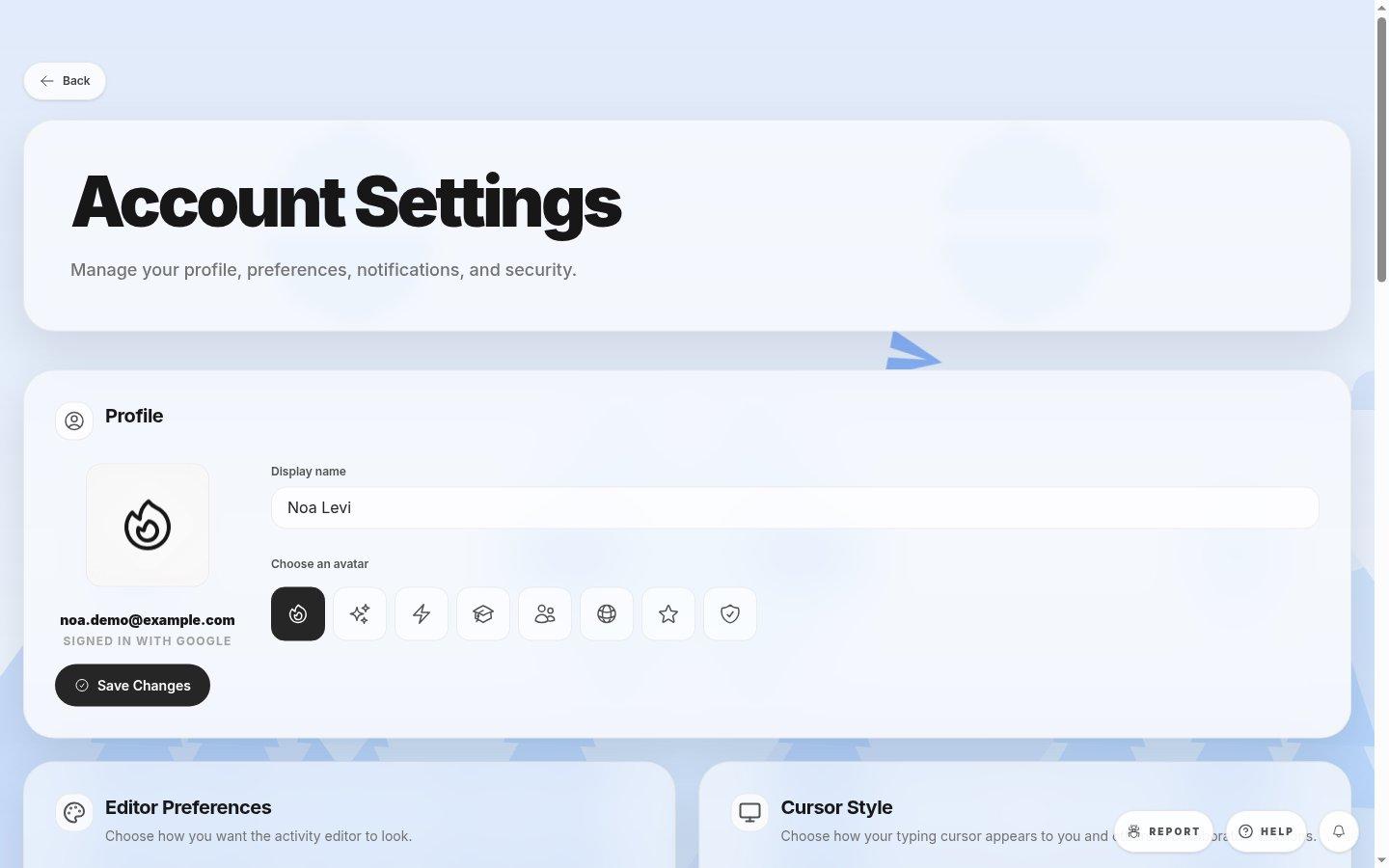
- Display nameUse the name other shevet members will recognize.
- Avatar choicesPick an available icon for your profile.
- Save ChangesApplies the avatar and display name together.
- 1Open Account Settings and edit Display name under Profile. Select an avatar, then save.
- 2To change your cursor, use Cursor Style instead. It saves separately from Profile.
- 3Look under Your Inventory for cosmetics you own. Choose them from the corresponding profile or cursor control, not from the read-only inventory.
Where to look
Profile
Top of Account settings
Cursor look
Account settings grid
Inventory
Below Profile