Planning a Peula
Configure Finance Defaults
Set the default budget amounts and the monthly budget-cycle day used for future finance planning.
At a glance
- 1Open Finance and choose Settings below the Finance header.
- 2Set the default tzevet budget for new or future tzevet budget planning.
- 3Set a shevet-wide default only when your shevet uses a shared allocation in addition to individual tzevet budgets.
- 4Choose the day of the month when a new budget period begins. Keep it consistent so reports compare like-for-like periods.
- 5Save the settings, then return to Overview to check the resulting budget periods.
Step-by-step walkthrough
1.Set defaults for future budget periods
Settings defines the starting amounts and monthly schedule. To correct a specific tzevet’s current allocation, use its budget in Overview instead.
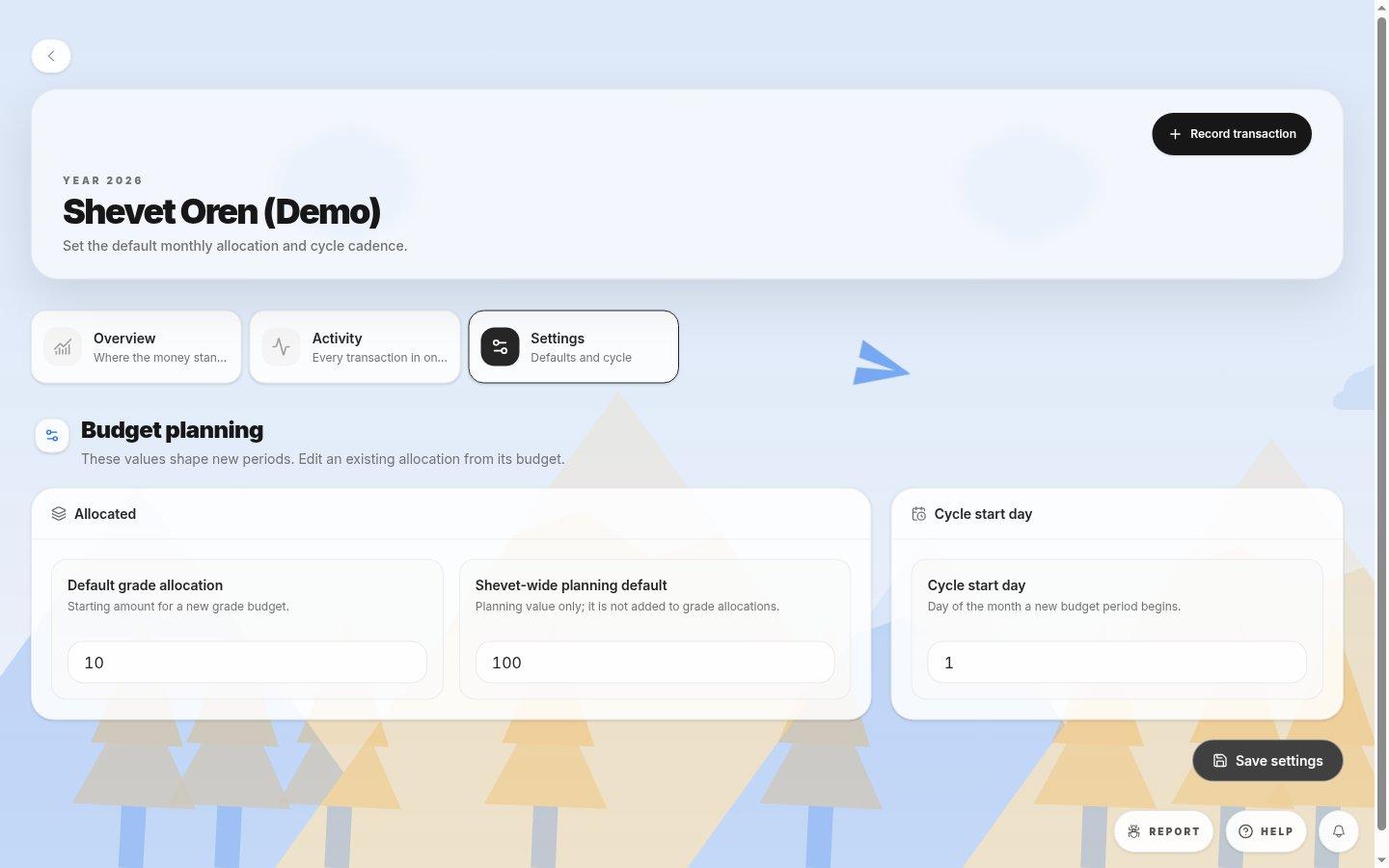
- Default allocationsThe grade default is per tzevet; the shevet planning amount is separate.
- Cycle start dayChoose the day of the month when the next period begins.
- Save settingsApplies your settings; it does not record a purchase.
- 1Open Finance, then Settings. Enter a non-negative default for each tzevet and a shevet-wide default only if needed.
- 2Pick the cycle day used for monthly reporting, such as 1 for a calendar-month cycle.
- 3Save, then open Overview and confirm the displayed period dates.
If you cannot do this
- Only people with finance-settings permission can save changes.
- Values must be non-negative and the cycle day must be between 1 and 31.
Where to look
Settings
the Finance page