Equipment and materials
Configure Tzuid Requests and Approval
Choose separately whether Tzuid is collected automatically or submitted manually, and whether Machsan approves it automatically or reviews it.
At a glance
- 1Open Machsan settings in the Machsan page header.
- 2Set Tzuid requests to Automatic to collect equipment from peulot as they are saved, or Manual to let guides submit and update requests in My Tzuid.
- 3Set Tzuid approval to Automatic to mark every submitted item as approved by Machsan, or Manual to review each item on the Tzuid Board.
- 4The two settings are independent: for example, requests can be manual while approval is automatic.
Step-by-step walkthrough
1.Set up the request and approval workflow separately
One choice controls when a request is created. The other controls when the Machsan approves it. Changing one does not automatically change the other.
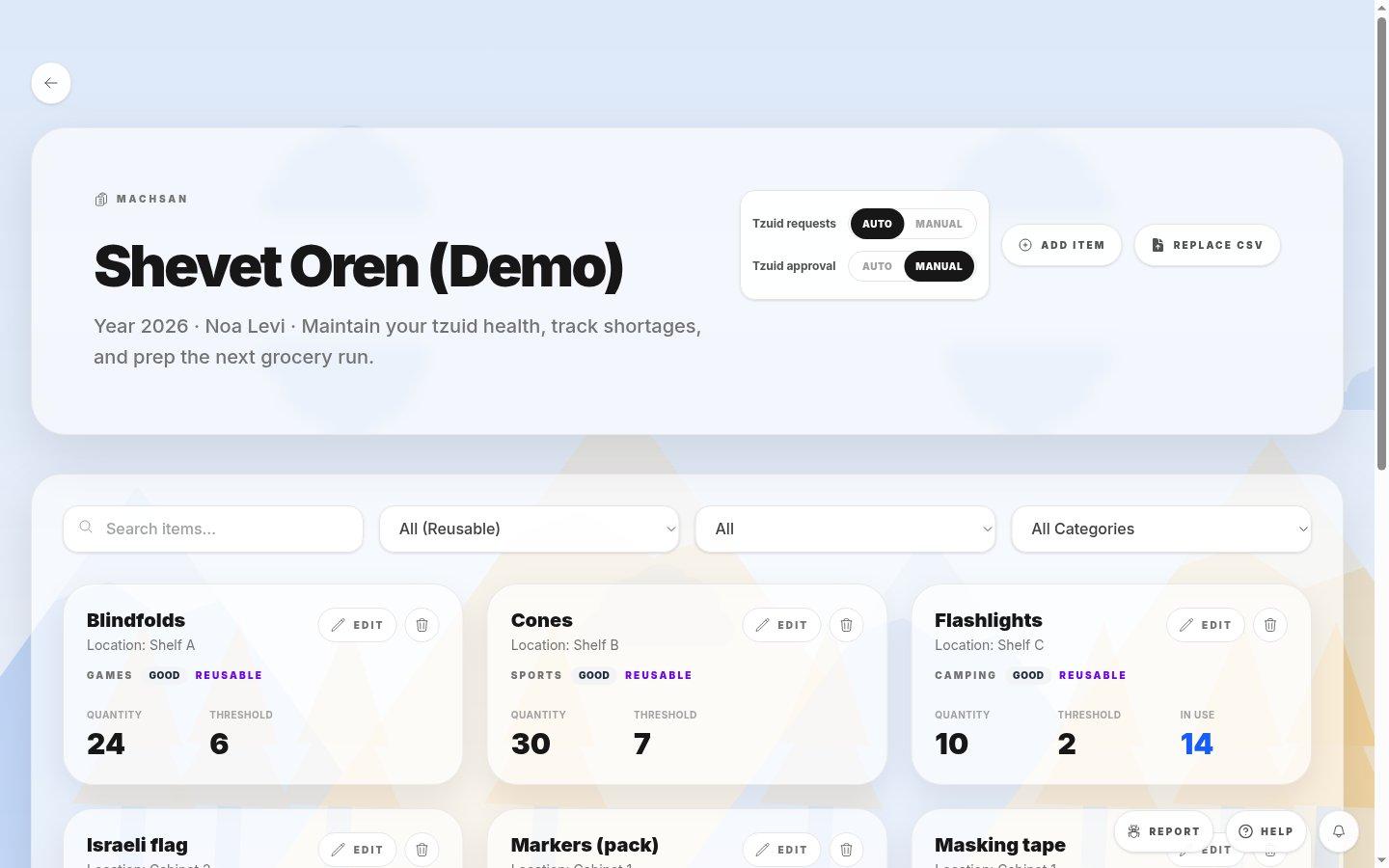
- Tzuid requests and approvalThe two rows each have their own Auto and Manual choice.
- 1For a shevet that wants madrichim to check quantities before sending, set Tzuid requests to Manual. Guides send from My Tzuid.
- 2If a Machsan manager should check requests before approving them, set Tzuid approval to Manual. Use the board to review each item.
- 3Check that both selected modes match how the shevet works. Automatic approval is not the same as automatic request creation.
If you cannot do this
- Only people allowed to manage inventory can change these settings.
Where to look
Machsan settings
the Machsan page header