Equipment and materials
Add and Maintain an Inventory Item
Create a well-classified item so availability, shortages, and finance information stay useful later.
At a glance
- 1Choose Add item on the Machsan page.
- 2Enter a clear item name and the current quantity. Start with the physical count, not the amount you expect to buy later.
- 3Choose Reusable for equipment that should return after a Peula; choose Consumable for items that are used up.
- 4Add a category and condition so the item is easier to find and maintain.
- 5Set a low-stock threshold when the item needs a warning before it runs out. Add unit cost and a linked tzevet only when they apply.
- 6Save, then use the item row later to correct quantity, condition, or other details as stock changes.
Step-by-step walkthrough
1.Record what is actually on the shelf
Start from a physical count. One inventory record should describe equipment that you can count and store together.
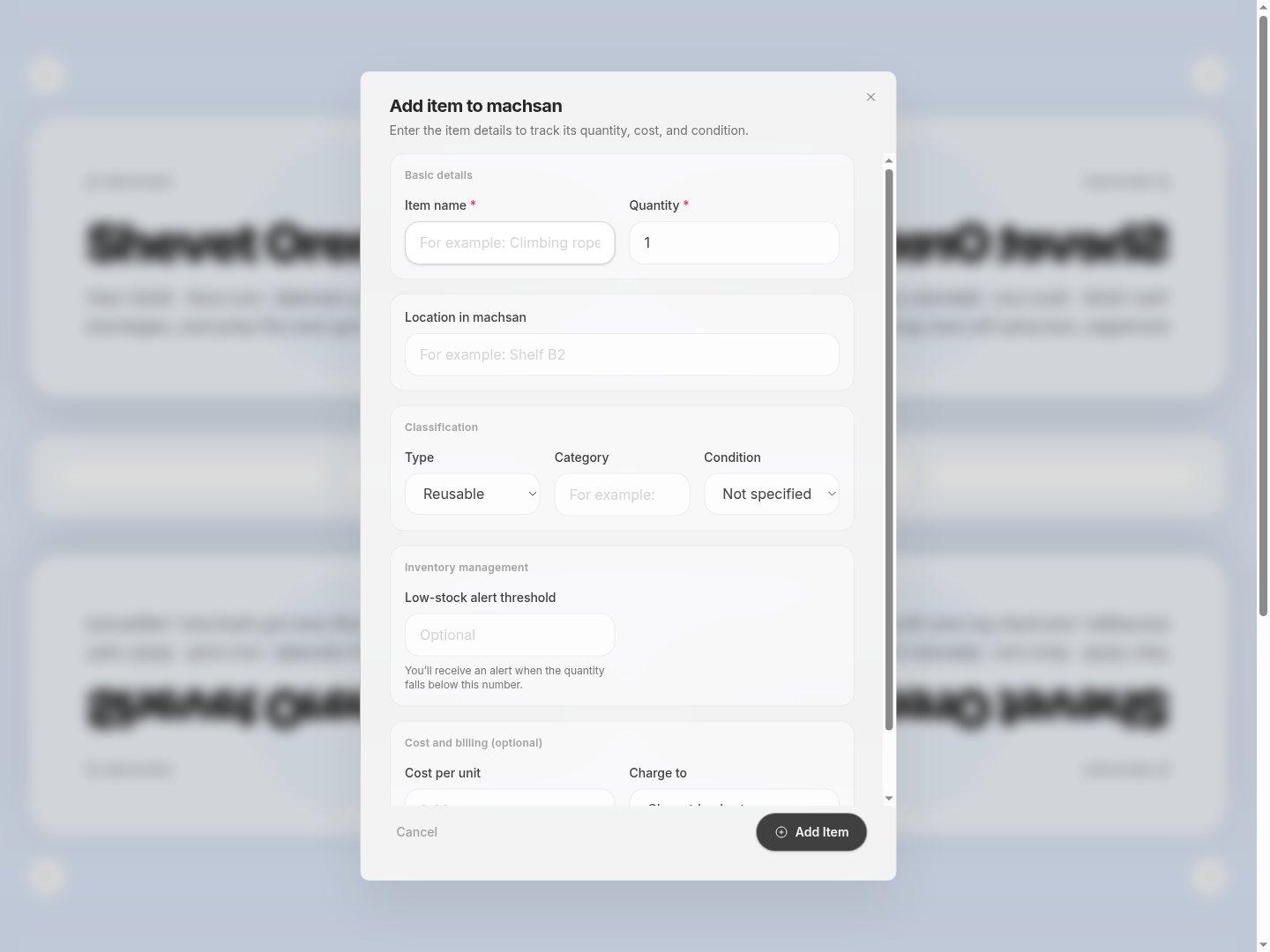
- Name and quantityUse a specific name and the quantity you have now.
- Storage locationUse a location another person can find, such as Shelf B2.
- ClassificationA reusable item should come back; a consumable item is used up.
- 1In Machsan choose Add item. Enter the name, quantity and storage location.
- 2Set the type, category and condition. For markers, for example, count packs consistently rather than mixing packs and single markers.
- 3Set a low-stock threshold if you need a restock warning. Add unit cost or tzevet only if relevant.
- 4Save and search for the new item. Use Edit on its card after future stock counts.
If you cannot do this
- Only people with inventory-management permission can add or edit items.
- Item name and quantity are required; quantities and thresholds cannot be negative.
Where to look
Add item
the Machsan page header